Specifications
- Brand: Apple
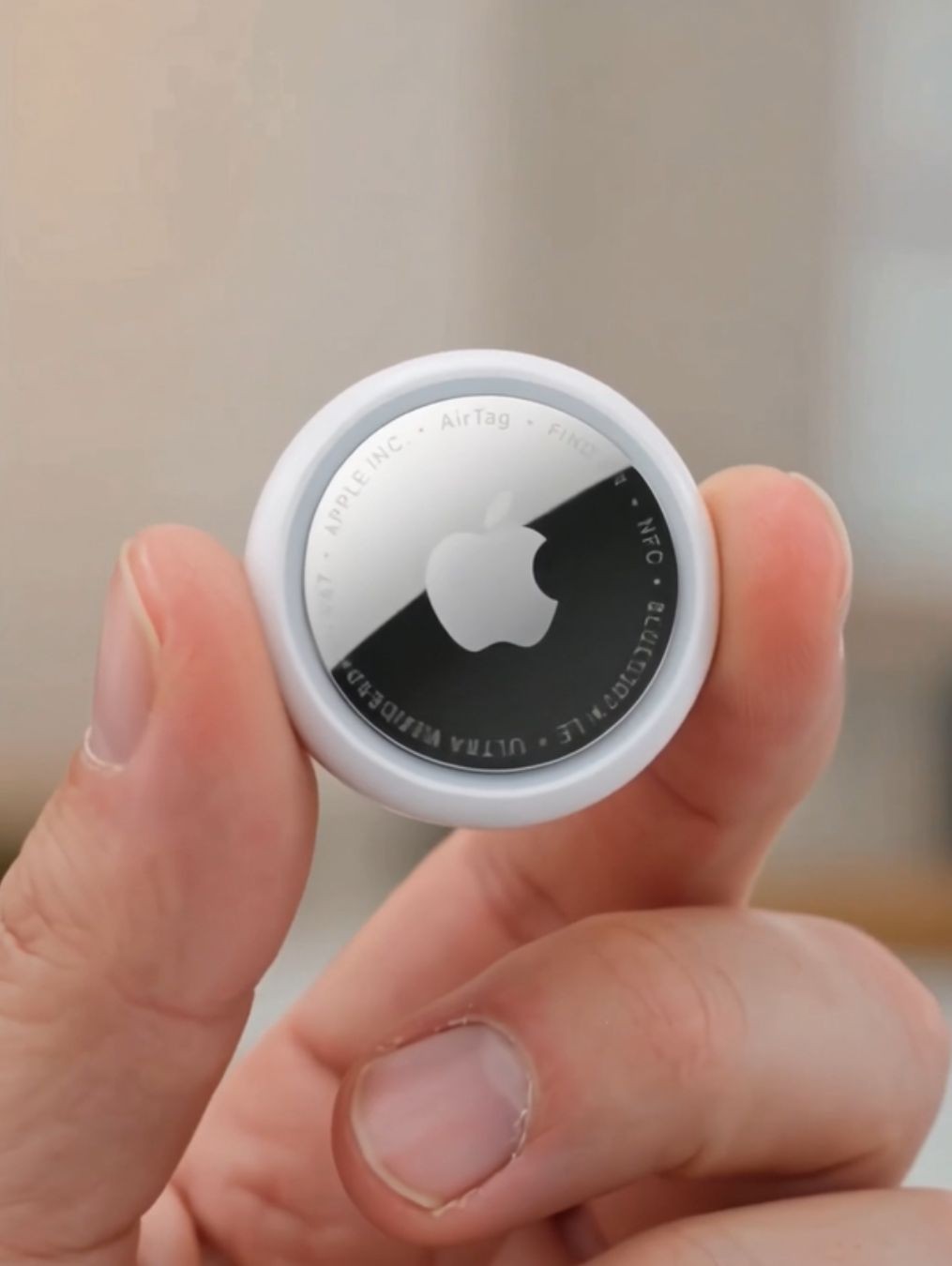
- Product Type: Bluetooth item tracker
- Generation: 2nd Generation
- Compatible Devices: iPhone and iPad
- Tracking Network: Apple Find My network
- Setup: One-tap setup with compatible Apple devices
- Finding Methods: Find My app, sound, and Precision Finding on supported devices
- Main Uses: Keys, wallets, bags, luggage, backpacks, and personal belongings
- Design: Compact and lightweight
- Connectivity: Wireless tracking through compatible Apple devices
How to Use
- Prepare Your iPhone: Make sure your compatible iPhone or iPad is ready and signed in to your Apple Account.
- Activate the AirTag: Bring the AirTag close to your compatible Apple device and follow the on-screen setup instructions.
- Name the Tracker: Choose a name that clearly identifies the item you plan to track, such as Keys, Backpack, or Luggage.
- Attach the AirTag: Place the tracker on your chosen item using a compatible keychain, holder, loop, or other accessory.
- Open Find My: Use the Find My app when you need to check the location of the tracked item.
- Play a Sound: If the AirTag is nearby, use the available sound feature to help locate it.
- Use Precision Finding: On supported iPhone models and in suitable conditions, use Precision Finding to receive more precise guidance toward the AirTag.
- Check the Last Known Location: If the item is not nearby, use Find My to check the location information available through the network.
- Locate the Item: Follow the available directions or sound until you find the attached belonging.
- Keep It Attached: Make sure the AirTag remains securely connected to the item you want to track.
Key Features
- Find My Integration: AirTag works with Apple's Find My ecosystem, allowing users to locate compatible tagged belongings through the Find My app.
- One-Tap Setup: Pairing is designed to be simple, making it easy to connect the tracker with a compatible iPhone or iPad.
- Precision Finding: Compatible iPhone models can provide more precise finding guidance when the AirTag is nearby.
- Enhanced Finding Range: The 2nd-generation AirTag offers up to 1.5 times the Precision Finding range compared with the previous generation under supported conditions.
- Built-In Speaker: The integrated speaker can produce a sound to help you locate the tracker when it is nearby.
- Compact Size: Its small form makes it practical for attaching to everyday belongings without adding significant bulk.
- Find My Network: When an AirTag is away from your device, the Find My network can help provide location information using participating Apple devices.
- Multiple Applications: One tracker can be used with keys, bags, luggage, wallets, backpacks, and many other personal items.
- Apple Ecosystem: AirTag is designed to work naturally with compatible Apple devices and Find My features.
- Everyday Convenience: It can reduce the frustration of searching for frequently misplaced belongings.
Applications
- Key Tracking: Attach an AirTag to a keychain to make misplaced keys easier to locate.
- Wallet Tracking: Use a compatible wallet holder to keep track of a wallet.
- Luggage Tracking: Place an AirTag with luggage when traveling to help monitor its location.
- Backpacks: Attach one to a backpack, school bag, or work bag for additional peace of mind.
- Handbags: Use it with a compatible holder to help locate a handbag or personal bag.
- Travel Bags: Keep track of smaller travel cases and other frequently carried belongings.
- Camera Bags: Attach one to a camera bag or equipment case to help locate it when needed.
- Work Equipment: Use it with suitable personal equipment bags and cases.
- Everyday Accessories: Track items that are regularly carried but can easily be misplaced.
- Personal Belongings: Use AirTag with other compatible items that have a suitable way to attach or carry the tracker.
Benefits and Advantages
Apple AirTag (2nd Generation) provides a convenient way to keep track of everyday belongings through Apple's Find My ecosystem. Its compact design makes it easy to attach to commonly misplaced items, while the built-in speaker can help you locate it when it is nearby. Precision Finding on supported devices can provide more detailed guidance, and the expanded Precision Finding range can make nearby searches more convenient. The ability to use the broader Find My network can also provide location information when an item is away from your iPhone. For Apple users who regularly carry keys, wallets, bags, or luggage, an AirTag can be a useful addition to their everyday gear.
Conclusion
Apple AirTag (2nd Generation) is a compact item tracker designed to help Apple users locate everyday belongings. With simple setup, Find My integration, a built-in speaker, and up to 1.5 times the Precision Finding range of the previous generation under supported conditions, it provides several convenient ways to search for misplaced items. Whether attached to keys, a wallet, backpack, handbag, or luggage, AirTag can make keeping track of important belongings easier and more convenient.